Lightweight capture,
powerful structure.
Notaly is a local-first knowledge management tool that feels as familiar as working with files and folders.
Capture first, structure later, and bring the right information back into view when you need it.
 Download for macOS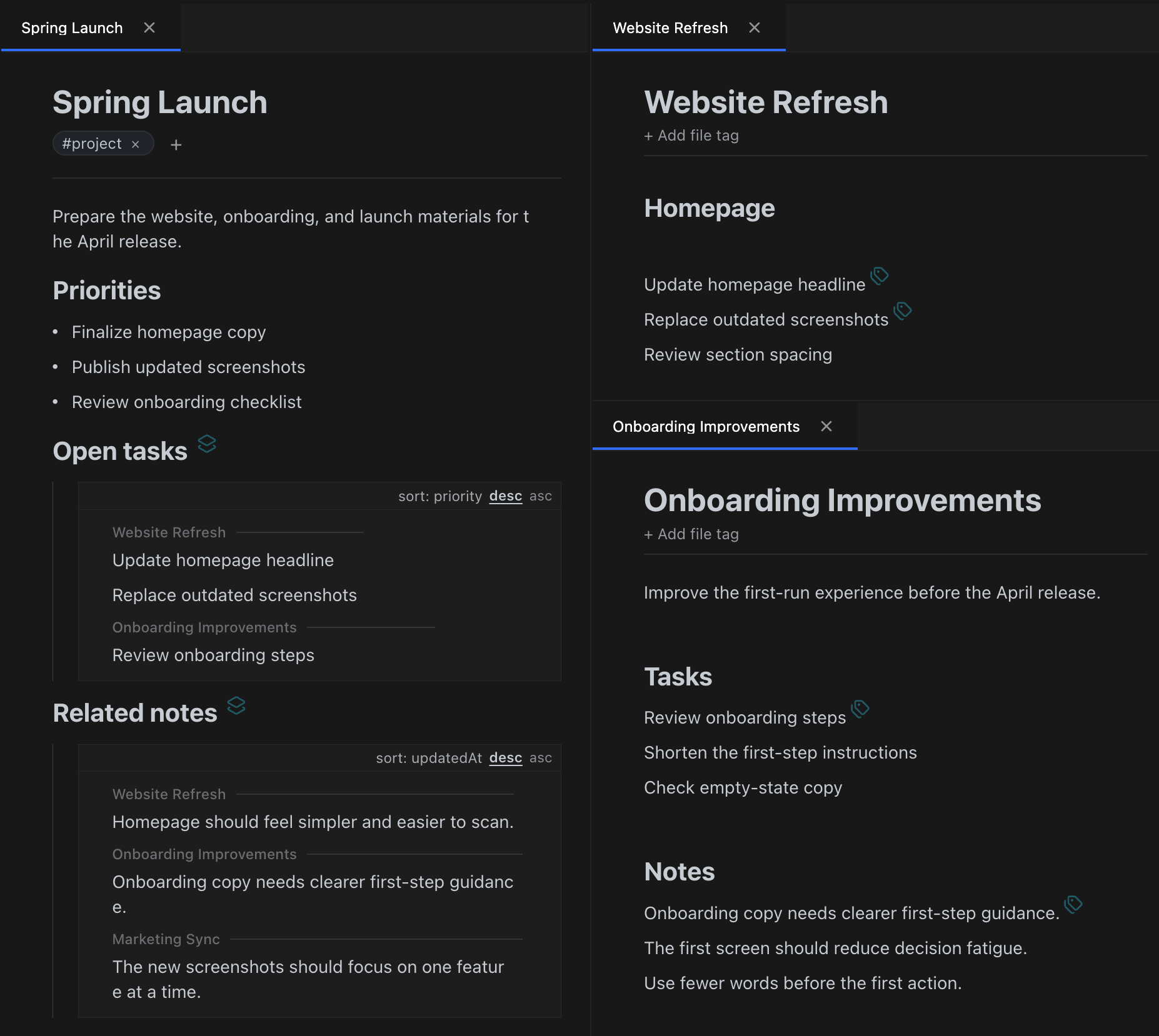
Traditional note-taking feels familiar for capture, but often falls short when structure matters.
- Notes pile up quickly, but become harder to reuse when you need to pull them together.
- A single document often belongs in more than one place, but folders usually allow only one location.
- When structure has to be decided up front, capture becomes slower and heavier.
- Search can find information, but it does not easily pull the right pieces back into your workflow.
- As notes accumulate, reorganizing and reusing them becomes increasingly difficult.
Notaly was built to close that gap between fast capture and flexible structure.
Keep the familiarity of files and folders, with much more flexibility.
Work like files, organize more flexibly
Keep the familiarity of files and folders while letting one file appear in multiple folders. Reuse the same source across topics without duplicating it.
Structure at the level of lines, not just files
Attach metadata only to the information that matters. Write long-form notes while still structuring the specific items you want to manage separately.
Go beyond search and bring information back together
Pull matching lines and files back into your document as collections you can work with. Don't just find information. Use it where you need it.
Capture first, organize later
Keep capture lightweight, then add tags, metadata, queries, and auto organize when you are ready to structure it.
Turn what you capture into structure you can reuse.
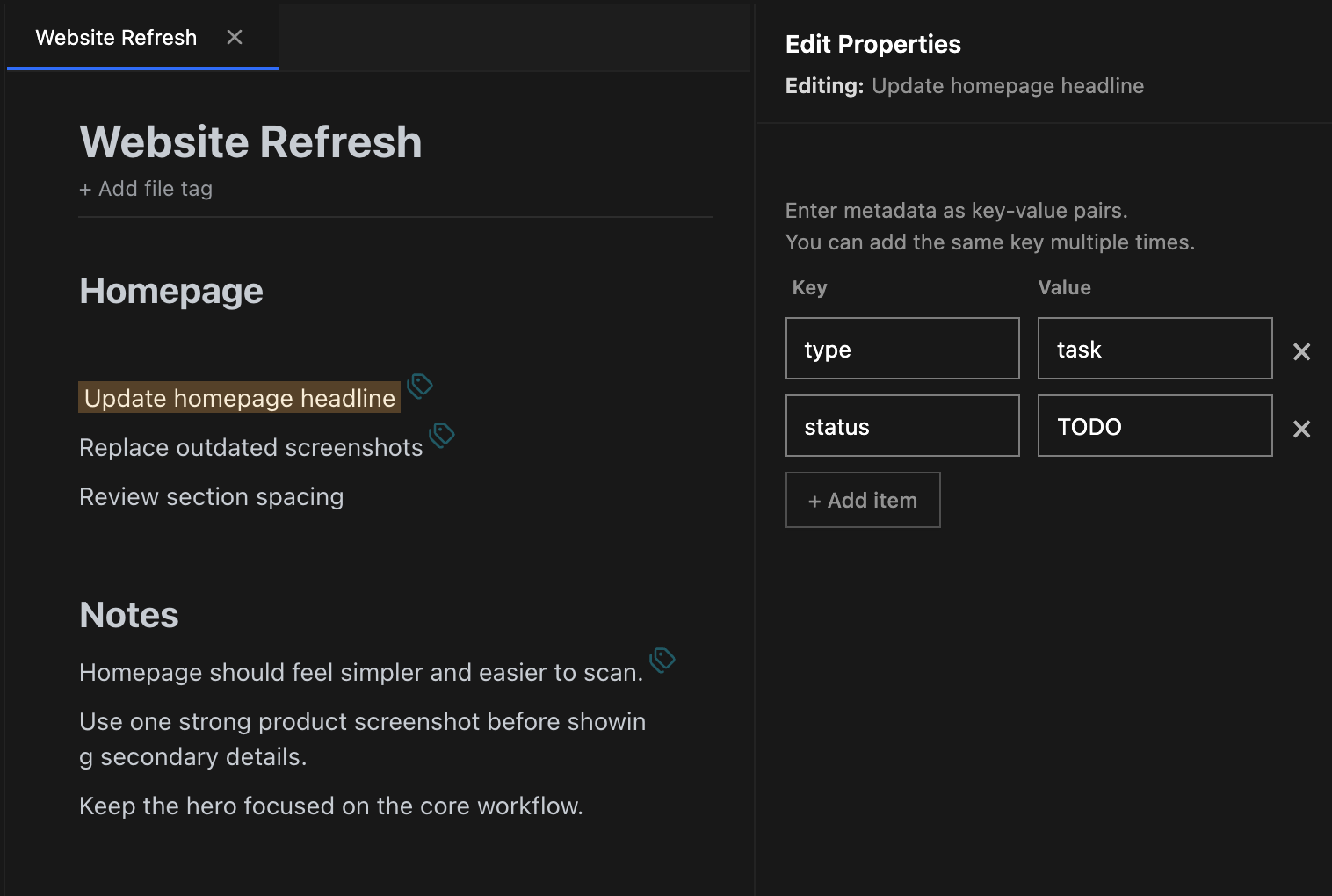
Line Metadata
Attach metadata only to the lines that need structure. Go beyond file-level organization and manage individual pieces of information directly.
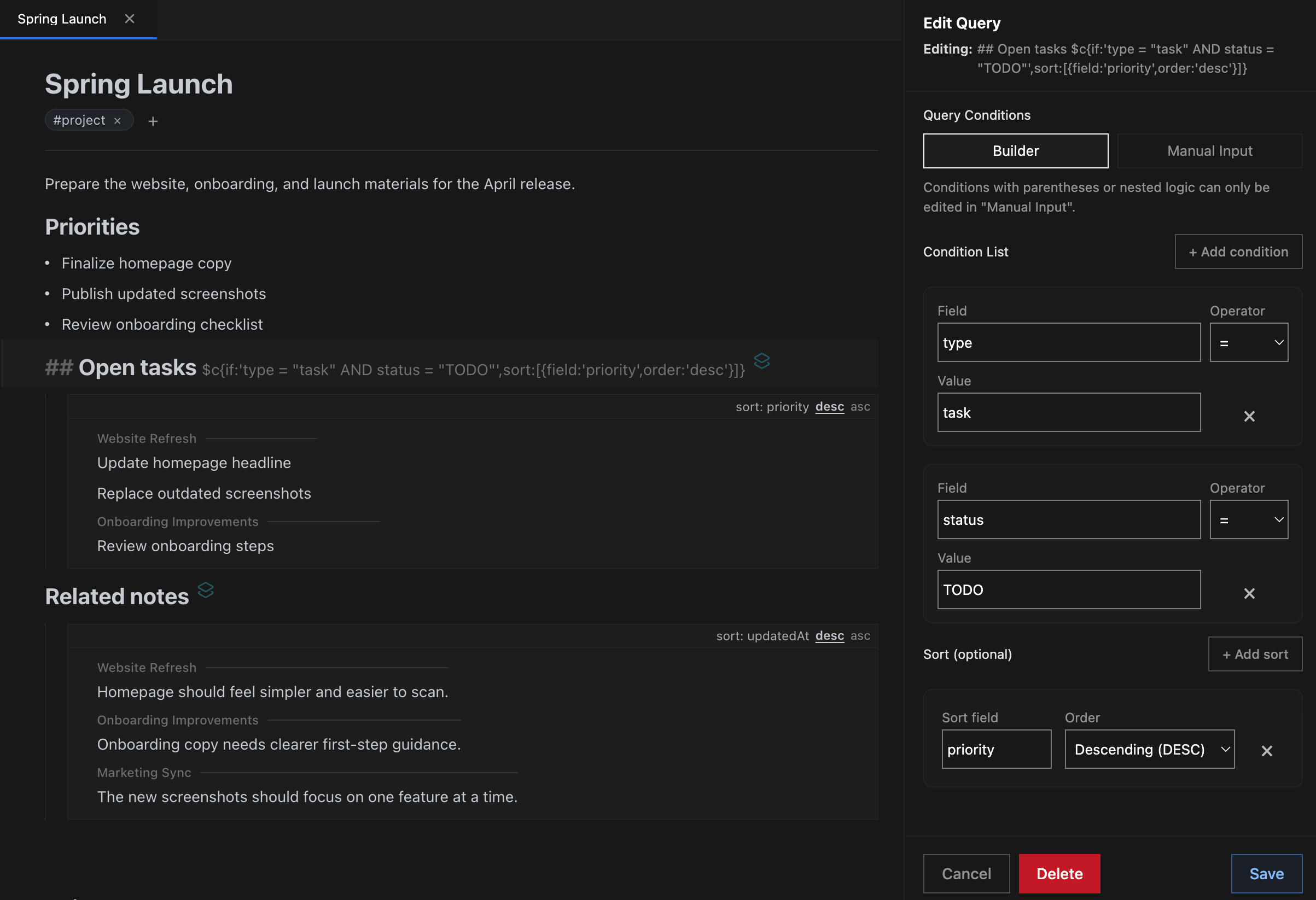
Dynamic Queries
Collect lines or files from across your notes using conditions. Results appear naturally in your document and stay linked to their sources.
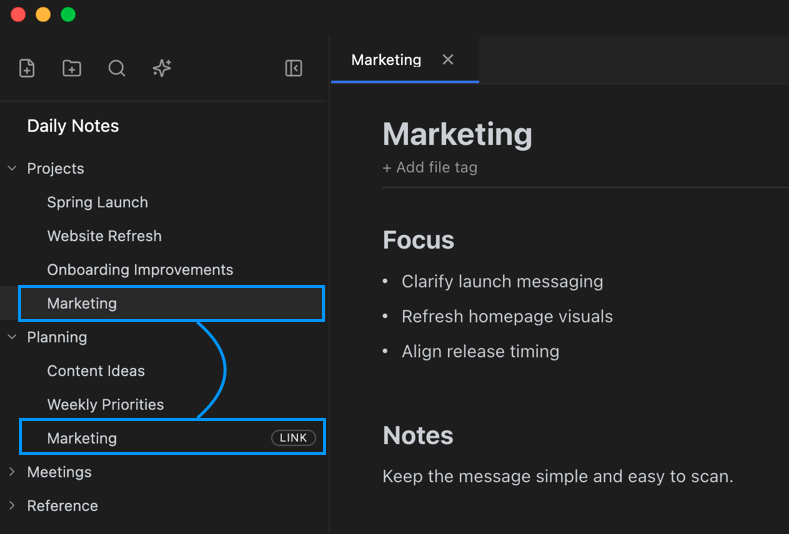
File Reference Links
Let one file appear in multiple folders without duplication. Keep a single source of truth while organizing it in different ways.
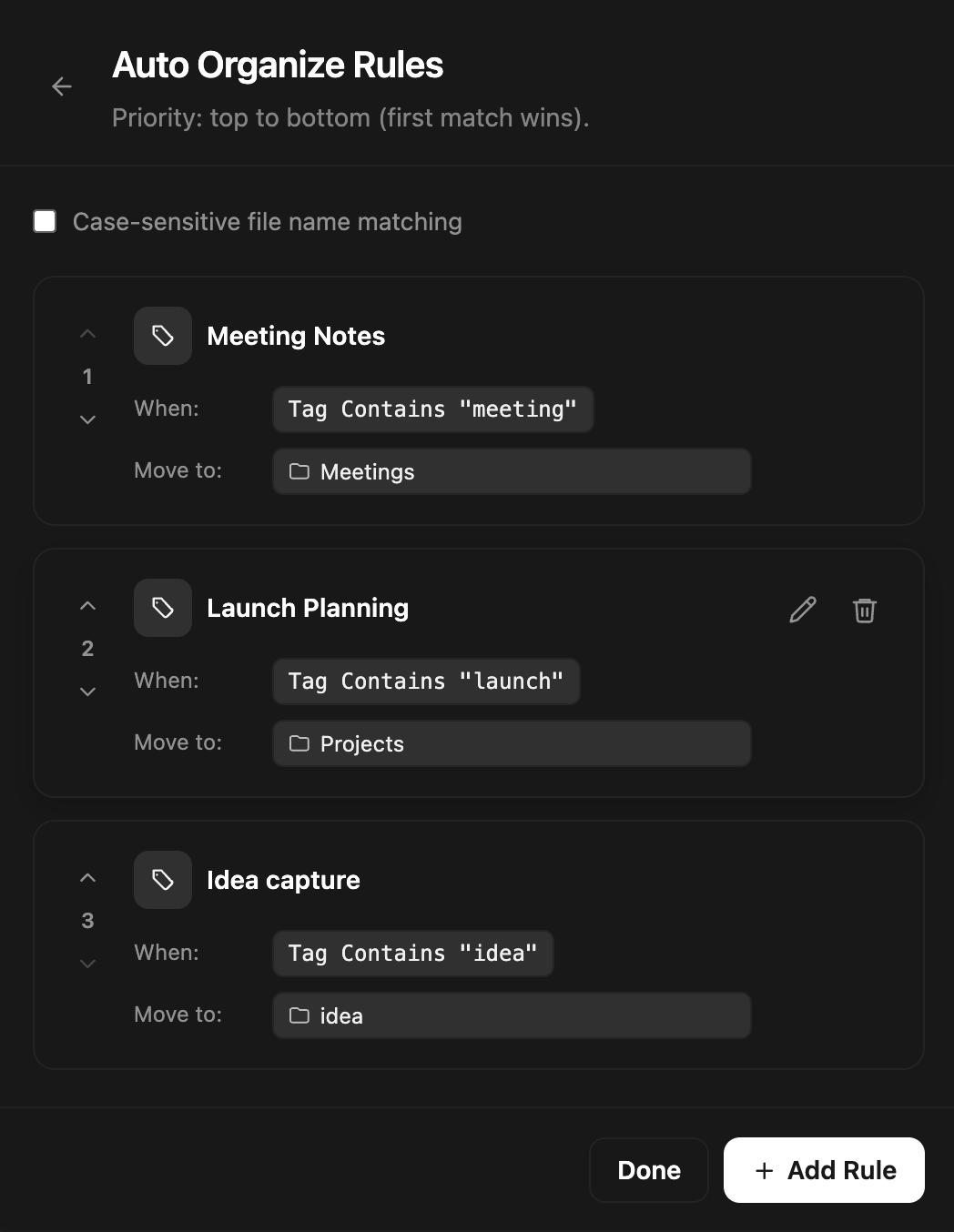
Auto Organize
Keep capture fast, then organize later with rules. Move files automatically based on tags or filename conditions.
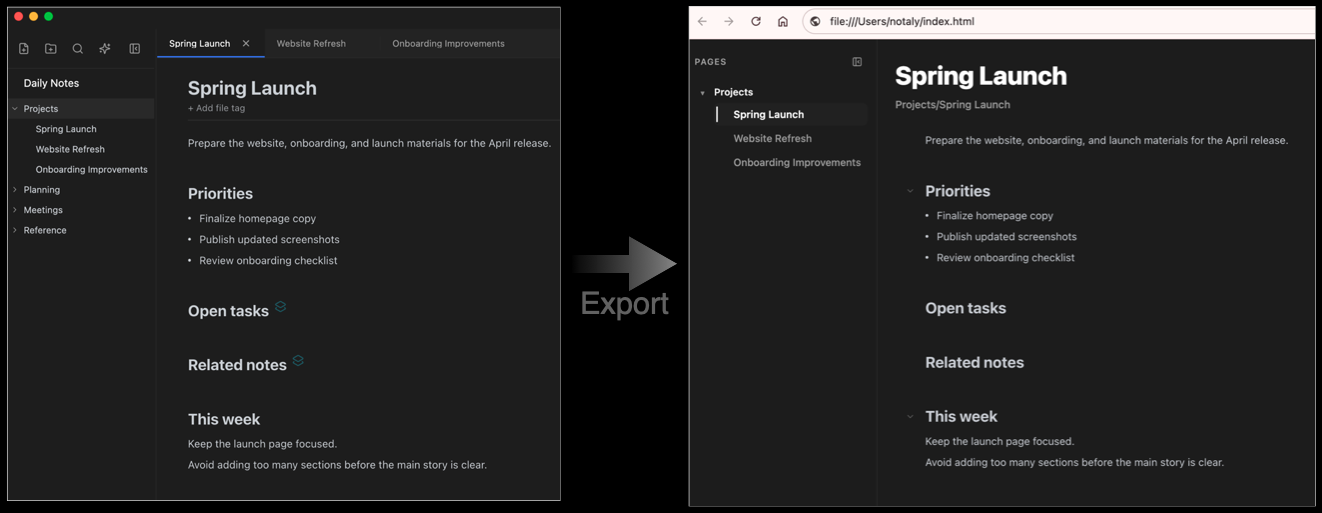
Static Website Export
Export a folder of notes as a read-only website. Let others explore the same structure in a browser without needing the app.
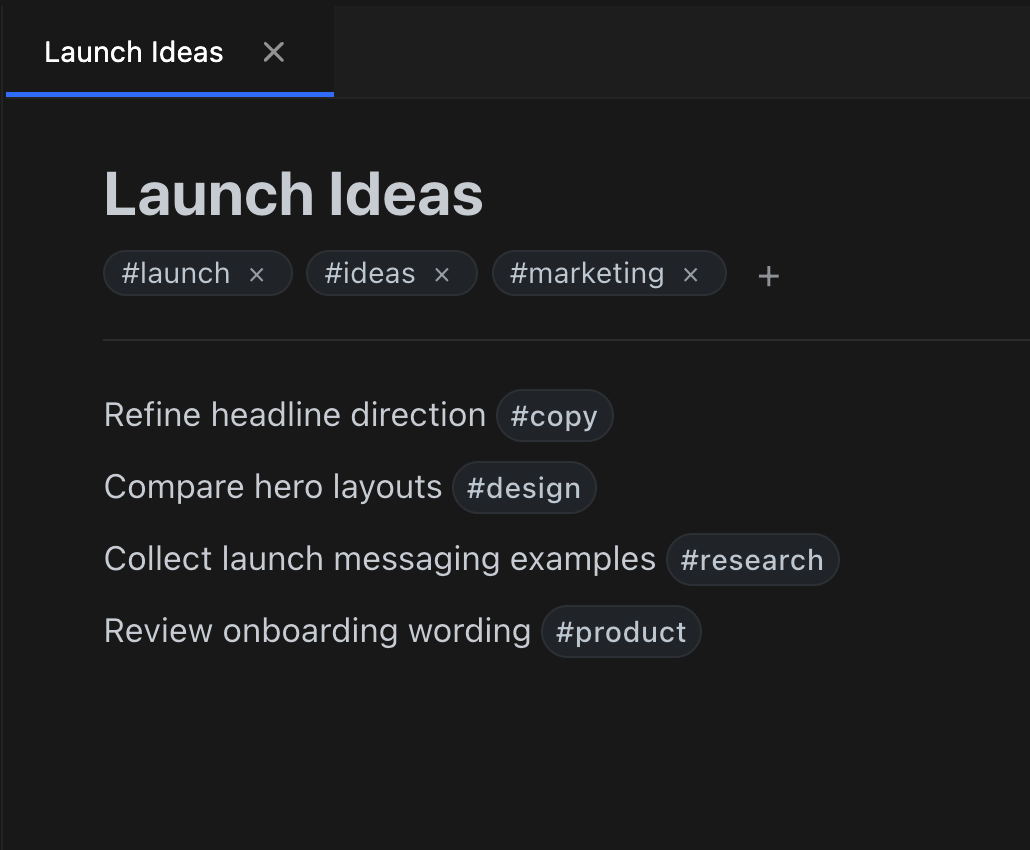
Tags
Use tags for lighter classification than full metadata. Apply them to files or lines, and use them in queries and auto organize rules.
Capture, structure, bring together, and share.
Capture fast
Create a file and start writing right away.
Add structure
Add tags or metadata only where they are needed.
Build views with queries
Bring matching information together where you need it.
Organize later
Clean things up later with auto organize and folders.
Share as a website
Export selected notes as a read-only website.
Organize, reuse, and share what you capture.
Especially useful for workflows like these
Capture quickly, organize systematically later
Write down ideas, meeting notes, and references first, then use tags, metadata, and queries to shape them later.
Manage documents that belong to more than one project
Let one document appear in multiple folders without duplication, so organization stays flexible and clean.
Bring scattered tasks and information back together
Use line-level metadata and queries to collect open tasks or specific notes from across many files into one view.
Share structured notes as a read-only website
Export a folder as a static site and let teammates or external viewers explore it safely in a browser.
Why aren't folders and search alone enough?
Typical file-based notes
- Familiar file and folder structure
- One file usually lives in only one place
- Search is available, but bringing information back together is limited
- Fast capture often leads to messy structure later
Notaly
- Keeps the familiarity of files and folders
- Lets one file appear in multiple folders
- Supports line-level structure and dynamic queries
- Connects capture to organization and reuse
Notaly keeps the clarity of file-based notes while giving you more flexible ways to reorganize and reuse information.
Work like files. Organize more flexibly.
As notes grow, keep them easy to reorganize and reuse.
Community
Join discussions, ask questions, and share feedback.